
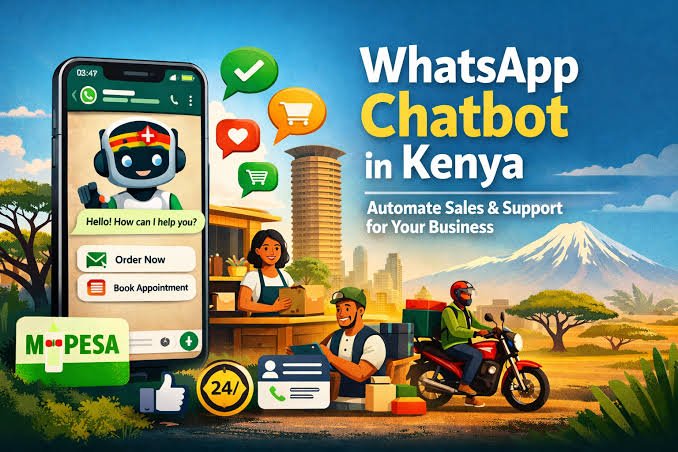
Choosing the right WhatsApp Business API automation Nairobi strategy can help local businesses scale customer communication without proportionally expanding sales and support teams. In Nairobi’s fast-moving commercial environment, manually handling large volumes of WhatsApp enquiries can result in delayed responses, missed follow-ups, inconsistent qualification, abandoned quotations, and potential revenue leakage.
For businesses that already generate enquiries through websites, Google Search, Meta advertising, referrals, social media, offline campaigns, and WhatsApp itself, the challenge is often no longer simply generating leads. The challenge is responding quickly, understanding what each customer wants, routing opportunities correctly, following up consistently, and connecting conversations to measurable business outcomes.
This is where WhatsApp Business Platform automation becomes strategically important.
An effective implementation can connect WhatsApp conversations with lead capture, AI-assisted qualification, CRM records, appointment scheduling, quotation workflows, M-Pesa or other payment processes, customer service, human-agent handoffs, lead reactivation, and revenue reporting.
Operating through official WhatsApp business infrastructure also requires businesses to understand Meta’s messaging rules, message-template requirements, customer opt-in requirements where applicable, current Meta messaging charges, integration architecture, and Kenya’s data-protection obligations.
Kenyan organizations processing personal data should also consider the requirements of the Data Protection Act and guidance from the Office of the Data Protection Commissioner (ODPC). Businesses should identify an appropriate lawful basis for processing personal data, provide appropriate privacy information, maintain valid consent where consent is the lawful basis relied upon, and implement suitable safeguards for customer information.
Before choosing an automation provider or designing a custom implementation, businesses should therefore understand both the commercial workflow and the technical infrastructure supporting it.
For a broader foundation on connecting WhatsApp to business systems, read our complete guide to WhatsApp Business integration.
This guide examines the best WhatsApp automated workflows for businesses in Nairobi, how the technology works, how WhatsApp can connect with CRM and M-Pesa processes, implementation considerations, compliance issues, cost variables, and how to evaluate an automation provider.
⸻
Key Takeaways
- WhatsApp Business API automation in Nairobi can connect customer conversations to revenue workflows including lead capture, qualification, follow-up, appointment booking, quotations, payments, customer support, reactivation, and CRM updates.
- A Business Solution Provider is not inherently required for every architecture. Businesses may implement the WhatsApp Business Platform through supported Meta infrastructure or use an appropriate technology provider depending on technical requirements, internal capabilities, and preferred software stack.
- Modern implementations should be designed primarily around the WhatsApp Business Platform and Cloud API ecosystem, rather than treating legacy on-premises architecture as the default alternative.
- WhatsApp costs are not simply one flat monthly charge. Total expenditure may include Meta messaging charges, software/platform fees, AI usage, CRM integrations, implementation, support, agent seats, and custom development.
- Kenya’s Data Protection Act applies to relevant processing of personal information.Organizations should determine the appropriate lawful basis, provide privacy information, maintain consent where required, and protect customer information appropriately.
- The highest-value workflows usually connect WhatsApp to the rest of the revenue operation. A standalone chatbot is less strategically valuable than a system that connects conversations to CRM records, calendars, quotations, payments, follow-up and reporting.
- Nairobi businesses should localize automation. Workflows may need to account for M-Pesa, local buying behaviour, English, Swahili, Sheng, geographic service areas, business hours, and industry-specific customer expectations.
- Recommended next step: audit your current WhatsApp customer journey from first enquiry to final conversion and identify where slow responses, manual work, missed follow-ups, disconnected systems, or abandoned opportunities occur.
⸻
Table of Contents
- WhatsApp Business API Automation Nairobi: Streamlining Customer Operations
- 10 Best WhatsApp Business API Automated Workflows for Nairobi Businesses
- WhatsApp Business API Automation by Industry in Nairobi
- Technical and Operational Architecture of WhatsApp Workflows
- WhatsApp Cloud API, CRM and AI Integration Architecture
- WhatsApp Business API and M-Pesa Automation in Kenya
- Implementation Process and Workflow Stages
- Kenya Data Protection and WhatsApp Compliance
- Assessing Scope, Risks and Regional Factors in Nairobi
- WhatsApp Business API Cost and Pricing in Nairobi 2026
- How to Choose a WhatsApp Automation Provider in Nairobi
- Qavla AI Revenue Automation for WhatsApp
- Turn Customer Communication Into a Scalable Revenue Engine
- Frequently Asked Questions
⸻
WhatsApp Business API Automation Nairobi: Streamlining Customer Operations
WhatsApp Business API automation Nairobi refers to the use of programmable WhatsApp business infrastructure, workflows, integrations and approved automation to manage customer conversations and trigger business actions at scale.
Rather than requiring an employee to manually read every incoming message, copy customer information into a spreadsheet, notify a salesperson, schedule an appointment, send another reminder, and update the CRM, automation can coordinate some or all of those actions according to predefined business rules.
This matters because Nairobi businesses increasingly operate across multiple digital channels.
A potential customer may discover a company through Google, click a Meta advertisement, visit the company website, open WhatsApp, ask a question, request a quotation, disappear for several days, return later, and finally make a purchase.
Without connected systems, every transition creates an opportunity for information to be lost.
WhatsApp automation can reduce this fragmentation.
Growing retail brands, real estate firms, professional-service companies, healthcare businesses, automotive businesses, home-service companies, e-commerce operations and B2B organizations can use automated workflows to manage larger volumes of incoming customer interactions while reserving human employees for conversations that genuinely require judgment, negotiation or specialist assistance.
The objective should not be to automate every conversation.
The objective is to determine which parts of the customer journey can be automated reliably and which parts should remain human-led.
That distinction is fundamental to responsible AI revenue automation.
What Does WhatsApp Business API Automation Include?
A well-designed implementation may include:
Lead Capture and Qualification
The workflow can capture customer information such as name, service required, geographic location, preferred appointment time, budget range or other relevant qualifying information.
Interactive buttons, structured questions and AI-assisted conversation analysis can then help determine customer intent and route the opportunity appropriately.
Automated Appointment Booking
WhatsApp can connect with scheduling infrastructure so customers can request available appointment times, confirm bookings, receive reminders, reschedule appointments or receive relevant preparation instructions.
CRM Synchronization
Customer information and relevant conversation events can be synchronized with a CRM so sales representatives do not have to repeatedly transfer information manually.
Depending on the architecture, workflows can create contacts, update deal stages, assign leads, create tasks, record communication events and trigger follow-up processes.
Order and Payment Updates
Businesses can use approved messaging workflows for relevant transactional communications such as order confirmations, payment reminders, payment-status updates, dispatch notifications and delivery information.
For Kenyan businesses, this may include workflows connected to M-Pesa or other supported payment systems.
Out-of-Hours Lead Handling
When customers contact a business after normal working hours, automation can acknowledge the enquiry immediately, collect relevant information, answer approved routine questions, qualify the customer and create a task for the appropriate employee.
Automated Follow-Up
A business can establish follow-up logic for eligible customers who have requested information, booked consultations, received quotations or expressed purchasing intent but have not completed the desired next action.
Human Handoff
Good automation should know when to stop automating.
High-value enquiries, complaints, sensitive matters, unusual questions or conversations that exceed predefined confidence thresholds should be routed to an appropriate employee.
Together, these components can transform WhatsApp from an isolated messaging inbox into part of a connected revenue operation.
⸻
10 Best WhatsApp Business API Automated Workflows for Nairobi Businesses
The best automation is not necessarily the most technically complicated workflow. It is the workflow that removes an important customer or operational bottleneck while maintaining an appropriate customer experience.
The following ten workflows are particularly relevant to businesses operating in Nairobi.
1. Instant Lead Response Workflow
Speed is one of the most practical reasons to automate WhatsApp.
When an enquiry arrives from a website, advertisement or click-to-WhatsApp campaign, the system can immediately acknowledge the customer rather than waiting for a salesperson to become available.
A workflow might:
New enquiry → instant acknowledgement → identify customer need → capture essential information → assign lead → create CRM record → notify sales representative.
The automation should not pretend that a human has reviewed something when that has not happened. Instead, it can clearly communicate that the enquiry has been received while beginning the qualification process.
This is especially useful for Nairobi businesses running paid advertising campaigns outside standard office hours.
⸻
2. AI Lead Qualification Workflow
Not every enquiry has equal commercial value or urgency.
An AI WhatsApp automation Nairobi workflow can ask structured questions and interpret appropriate free-text responses to help determine:
- Service required
- Geographic location
- Urgency
- Budget or purchasing range where appropriate
- Preferred appointment time
- Product category
- Company size for B2B enquiries
- Buying stage
- Existing customer status
- Appropriate department
The workflow can then route the customer to the correct salesperson, branch, service team or automated next step.
This reduces the amount of time employees spend repeatedly asking basic qualifying questions.
⸻
3. Automated Lead Follow-Up Workflow
Many sales opportunities are not lost because customers explicitly reject the business. They are lost because the conversation simply stops.
An automated follow-up workflow can identify eligible leads that have not progressed and initiate an appropriate follow-up according to the business’s rules and Meta’s messaging requirements.
For example:
Enquiry → qualification → quotation → no response → approved follow-up → salesperson notification → CRM status update.
This is particularly relevant to businesses with longer decision cycles, including construction, real estate, professional services, automotive sales and higher-value home services.
⸻
4. Appointment Booking and Reminder Workflow
Appointment-driven businesses can integrate WhatsApp with scheduling systems.
The workflow may:
Qualify customer → identify service → check availability → present appointment options → confirm booking → create calendar event → send reminder → manage rescheduling.
This can benefit clinics, dental practices, med spas, consultants, real estate agents, vehicle service centers, professional-service firms and home-service companies.
The objective is to remove unnecessary friction between customer interest and a confirmed appointment.
⸻
5. Missed Lead Reactivation Workflow
Businesses often accumulate hundreds or thousands of old enquiries that were never fully converted.
These may include:
- Old CRM leads
- Abandoned quotations
- Previous consultation requests
- Customers who postponed purchasing
- Unanswered website enquiries
- Prospects from previous advertising campaigns
Subject to applicable messaging rules, lawful processing requirements and appropriate customer permissions, businesses can identify eligible dormant opportunities and build structured reactivation workflows.
Instead of treating every historical contact identically, automation can segment leads by previous intent, service, age of enquiry, CRM stage and engagement history.
This turns lead reactivation into a controlled revenue-recovery process rather than indiscriminate broadcasting.
⸻
6. Quote Follow-Up Workflow
Quotations represent a particularly valuable stage of the customer journey because the prospect has often already demonstrated meaningful purchase intent.
A workflow can track when an estimate or quotation is issued and trigger appropriate next actions.
For example:
Quote sent → CRM stage updated → follow-up scheduled → customer question captured → salesperson alerted → outcome recorded.
Businesses should avoid excessive or intrusive messaging. The objective is timely assistance and consistent follow-up, not pressure.
Construction companies, professional services, automotive businesses, contractors and B2B suppliers may find this workflow especially valuable.
⸻
7. M-Pesa Payment and Payment Confirmation Workflow
For businesses operating in Kenya, connecting customer communication with payment processes can reduce friction.
Depending on the payment architecture and approved integrations, a workflow may:
Customer confirms order → payment instructions generated → payment event received → transaction matched → CRM/order record updated → confirmation sent → fulfilment triggered.
The exact architecture depends on the payment provider, APIs, business systems and compliance requirements.
M-Pesa integration should therefore be treated as a systems-integration project rather than simply a chatbot feature.
⸻
8. Order Status and Delivery Notification Workflow
Retail and e-commerce businesses can automate appropriate transactional updates.
A customer might receive structured updates when:
- An order is confirmed
- Payment is received
- An order is being prepared
- An item is dispatched
- Delivery is scheduled
- An order is completed
- Further action is required
This can reduce repetitive “Where is my order?” enquiries while keeping customers informed.
⸻
9. Customer Support and Human Handoff Workflow
Automation should handle predictable questions efficiently while making escalation easy.
A support workflow might:
Customer enquiry → issue classification → approved knowledge response → confidence check → ticket creation if unresolved → human handoff → resolution → CRM/support record updated.
The system should provide clear escalation paths rather than trapping customers inside endless automated menus.
For complicated, sensitive or high-risk enquiries, human review may be the appropriate default.
⸻
10. Customer Reactivation and Repeat-Purchase Workflow
WhatsApp automation is not limited to acquiring new customers.
Existing customers can represent valuable future revenue when businesses have appropriate permissions and relevant reasons to communicate.
Possible workflows include:
- Service reminders
- Renewal notifications
- Reorder reminders
- Maintenance reminders
- Customer feedback requests
- Relevant product replenishment
- Appointment reminders
- Customer win-back campaigns
When properly segmented, retention workflows can help businesses increase customer lifetime value without relying exclusively on new customer acquisition.
⸻
WhatsApp Business API Automation by Industry in Nairobi
Different industries should not use identical workflows.
| Nairobi Business Type | High-Value WhatsApp Workflow | Potential Operational Benefit |
| Real Estate | Lead qualification → property matching → viewing booking → follow-up | Faster lead routing and viewing coordination |
| Home Services | Enquiry → location → service need → urgency → appointment | Faster booking and dispatch |
| Professional Services | Enquiry → qualification → consultation booking → CRM | Structured lead handling |
| Clinics & Med Spas | Service enquiry → booking → reminder → human escalation | Reduced scheduling friction |
| E-commerce | Product enquiry → order → payment → delivery updates | More connected purchase journey |
| Automotive | Vehicle/service enquiry → qualification → appointment → follow-up | Faster sales and service handling |
| Construction | Project enquiry → qualification → consultation → quotation follow-up | Better opportunity management |
| B2B Services | Enquiry → company qualification → salesperson routing → CRM follow-up | More efficient sales operations |
This industry-specific approach is important for WhatsApp business automation Kenya because the most valuable workflow depends on how the company actually generates and converts revenue.
⸻
Technical and Operational Architecture of WhatsApp Workflows
Deploying WhatsApp automated workflows Kenya requires more than creating a chatbot.
A modern architecture can involve several connected layers:
Customer → WhatsApp → WhatsApp Business Platform / Cloud API → webhook/integration layer → automation or AI orchestration → CRM/business systems → human team → analytics
Incoming events can include customer messages, button selections, form submissions, payment events, CRM-stage changes, calendar events or other approved triggers.
The orchestration layer determines what should happen next.
That decision may be based on:
- Predefined business rules
- Customer attributes
- CRM status
- Message content
- Previous conversation context
- AI classification
- Appointment availability
- Geographic service areas
- Payment status
- Human approval requirements
Outputs can include customer responses, approved template messages, CRM updates, tasks, calendar bookings, notifications or human-agent routing.
AI Should Not Operate Without Controls
Adding a language model does not automatically make a workflow better.
AI can help interpret natural language, classify customer intent, summarize conversations, draft responses or select appropriate workflow branches.
However, businesses should define controls around what AI can and cannot do.
For example, an AI system might be permitted to answer routine service questions but prohibited from independently approving refunds, changing financial terms, making regulated claims or committing the company to unusual contractual obligations.
Human-in-the-loop controls are particularly valuable for high-value or sensitive actions.
Local Language Considerations
Nairobi customer conversations can combine English, Swahili and Sheng, sometimes within the same message.
An automation system should therefore be tested against realistic customer language rather than only polished English test prompts.
Ambiguous requests should trigger clarification or human escalation rather than confident but incorrect automated responses.
⸻
WhatsApp Cloud API, CRM and AI Integration Architecture
For modern implementations, the WhatsApp Business Platform’s cloud-based infrastructure provides the foundation for connecting WhatsApp with business software.
The technical architecture can be simplified into several layers.
1. Messaging Layer
This handles the exchange of messages and messaging events through supported WhatsApp business infrastructure.
2. Webhook and Integration Layer
Webhooks notify connected systems when relevant events occur.
For example, an incoming customer message can trigger a workflow that checks CRM information before determining the next action.
3. CRM Layer
The CRM acts as the operational customer record.
Depending on the integration, the workflow may:
- Create a contact
- Update an existing contact
- Create an opportunity
- Change pipeline stage
- Assign a salesperson
- Record activity
- Schedule follow-up
- Trigger additional workflows
For businesses seeking a broader customer-acquisition architecture, see our lead generation CRM workflow service.
4. AI and Automation Layer
This layer can interpret customer messages, apply business logic and coordinate actions between systems.
A well-designed architecture separates AI reasoning from deterministic business controls where appropriate.
5. Human Agent Layer
Employees require a clear interface for taking over conversations, reviewing context and performing actions that should not be automated.
6. Analytics Layer
The system should track meaningful operational and revenue metrics rather than simply counting messages.
Useful metrics can include:
- Enquiry volume
- First-response time
- Qualification rate
- Appointment-booking rate
- Quote rate
- Follow-up completion
- Reactivation rate
- Human-handoff rate
- Conversion rate
- Revenue attributed to eligible workflows
The objective is not simply to automate messages. It is to create an observable, measurable customer journey.
⸻
WhatsApp Business API and M-Pesa Automation in Kenya
For Kenyan businesses, M-Pesa can be an important component of the customer journey.
A customer may discover a product on social media, ask questions through WhatsApp, confirm an order, receive payment instructions, complete an M-Pesa transaction and expect immediate confirmation.
If these systems remain disconnected, employees may have to manually check payments, update spreadsheets, send confirmation messages and notify fulfilment teams.
Integration can reduce some of this manual work.
Example WhatsApp-to-M-Pesa Workflow
A simplified workflow might look like:
WhatsApp enquiry → product/service selection → order record → payment request/instructions → M-Pesa payment event → transaction verification → order status update → WhatsApp confirmation → fulfilment workflow
The exact implementation depends on the business’s payment infrastructure, payment provider, API access, security controls and internal systems.
Businesses should avoid treating payment automation casually.
Financial events should use deterministic verification and appropriate security controls. An AI model should not be the sole authority for determining whether a payment was successfully received.
Why This Matters for Nairobi Businesses
Connecting communication, payments and order systems can create a more continuous customer journey.
Instead of moving customers between WhatsApp, telephone calls, spreadsheets and disconnected payment records, businesses can design workflows in which relevant systems exchange information automatically.
This is one of the clearest examples of the difference between a basic chatbot and true AI revenue automation.
⸻
Implementation Process and Workflow Stages
Successful WhatsApp automation should begin with business processes, not software features.
Selection and Recommendation Process
A provider or internal implementation team should first evaluate:
- Historical enquiry volume
- Lead sources
- Response times
- Existing WhatsApp processes
- CRM infrastructure
- Sales-team structure
- Frequently asked questions
- Appointment processes
- Quotation processes
- Payment processes
- Customer-support workflows
- Existing consent and privacy processes
- Current conversion bottlenecks
Recommendations should then focus on removing measurable operational friction.
Automation cannot guarantee sales. Customer demand, pricing, competition, product-market fit, sales ability and many other factors still influence commercial performance.
The goal is to build a better operating system for opportunities the business already receives.
Project Phases
1. Initial Consultation and Requirements
Define the commercial objective.
Is the priority faster lead response, more appointments, better qualification, fewer missed enquiries, quotation follow-up, customer service, lead reactivation or another measurable outcome?
2. Customer Journey Assessment
Map how enquiries currently move through the business.
Identify where information is manually copied, where customers wait, and where follow-up frequently fails.
3. Data and Systems Assessment
Review CRM infrastructure, calendars, payment systems, websites, forms, APIs and other relevant business systems.
4. Workflow Architecture
Define triggers, actions, routing rules, human approvals, escalation conditions and expected outputs.
5. Messaging and Conversation Design
Design customer-facing conversation flows using clear, natural language.
Include appropriate fallbacks for unexpected customer responses.
6. Meta and Messaging Configuration
Configure the required WhatsApp business infrastructure, business information and message templates where applicable.
7. CRM and Systems Integration
Connect the required webhooks, APIs, CRM records, calendars, payments or other business systems.
For organizations seeking broader pipeline orchestration, this can connect directly with sales pipeline automation systems.
8. AI Configuration
Where AI is used, define approved knowledge sources, system rules, confidence thresholds, restricted actions and escalation requirements.
9. Testing and Verification
Test:
- Message delivery
- Workflow branching
- CRM synchronization
- Duplicate handling
- Calendar booking
- Payment events where applicable
- Human handoff
- Failure scenarios
- Language variations
- Customer opt-out processes
- Reporting
10. Controlled Launch
Begin with a defined use case rather than attempting to automate the entire organization simultaneously.
11. Measurement and Optimization
Monitor actual workflow performance and adjust based on observed customer behaviour.
⸻
Kenya Data Protection and WhatsApp Compliance
Privacy and compliance should be designed into the workflow rather than added after deployment.
The Office of the Data Protection Commissioner (ODPC) oversees data-protection regulation in Kenya under the Data Protection Act and related frameworks.
Organizations should evaluate the lawful basis applicable to their processing activities.
Consent may be appropriate or required in particular circumstances, but businesses should not assume that explicit consent is the only lawful basis for every type of processing.
Depending on the circumstances, organizations should consider issues such as:
- Lawfulness, fairness and transparency
- Purpose limitation
- Data minimization
- Appropriate retention
- Data security
- Data-subject rights
- Privacy notices
- Valid consent where relied upon
- Appropriate processor/controller arrangements
- Cross-border processing considerations where applicable
- Access controls
- Audit trails
Phone numbers, conversation history and other information associated with identifiable customers can constitute personal data and should be handled accordingly.
Businesses should seek qualified legal advice where their obligations are unclear, particularly for sensitive or regulated processing.
Meta Messaging Requirements
WhatsApp automation must also comply with applicable Meta and WhatsApp policies.
Businesses should understand:
- Customer-initiated messaging windows
- Message-template requirements
- Template categories
- Opt-in requirements
- Quality and messaging limits
- Prohibited content or use cases
- Customer opt-outs
- Business verification requirements where applicable
Automation should never be treated as permission to send indiscriminate promotional messages.
⸻
Assessing Scope, Risks and Regional Factors in Nairobi
Successful WhatsApp automation Nairobi implementations should account for the operating environment of the business.
Scope of Assessment
Different industries require different priorities.
Retail businesses may focus on product discovery, order updates and payment workflows.
Professional-service firms may prioritize qualification, consultation booking and follow-up.
Real estate businesses may need property-interest qualification, location preferences and viewing appointments.
Home-service companies may prioritize service area, urgency, job type and technician scheduling.
B2B businesses may require company qualification, salesperson routing and longer follow-up sequences.
Defining the scope prevents businesses from investing in automation that does not solve their actual bottlenecks.
Location and Regional Variation in Kenya
Nairobi has characteristics that should influence workflow design.
Customers may use:
- English
- Swahili
- Sheng
- Voice notes
- Short informal messages
- Mobile-first payment processes
- Location-based service requests
A workflow designed for a U.S. or European market should not simply be copied and deployed unchanged.
Local terminology, customer expectations, payment methods, service areas and operational processes should be considered during testing.
Risks of Proceeding Without Structured Automation
Businesses that generate substantial WhatsApp enquiries but rely entirely on unstructured manual handling can face several risks.
Revenue Leakage
Leads may be forgotten, answered late or never followed up.
Wasted Advertising Spend
Businesses can spend heavily acquiring enquiries while failing to process them efficiently.
Inconsistent Qualification
Different employees may ask different questions or record information differently.
Poor Visibility
Management may struggle to determine how many WhatsApp enquiries became appointments, quotes or customers.
Staff Overload
Employees may spend excessive time answering repetitive questions and performing manual data entry.
Privacy and Governance Risk
Poorly designed processes may expose customer information to unnecessary access or result in inadequate data handling.
Structured automation does not eliminate these risks entirely, but it can create clearer processes and better controls.
⸻
WhatsApp Business API Cost and Pricing in Nairobi 2026
There is no universal fixed price for WhatsApp Business API automation in Nairobi.
Total cost depends on the architecture and business requirements.
Potential cost components include:
- Meta messaging charges
- Automation-platform subscriptions
- Technology-provider charges where applicable
- CRM subscriptions
- AI model usage
- Multi-agent inbox seats
- Custom API development
- Webhook infrastructure
- M-Pesa/payment integration
- Implementation
- Testing
- Staff training
- Support and maintenance
Businesses should consult Meta’s current official pricing information for current messaging charges rather than relying on outdated assumptions about historical conversation-based pricing models.
Cost / Scope Comparison Table
| Cost / Scope Variable | Why It Affects Price | What the Client Should Confirm |
| Message Volume & Categories | Meta charges can vary according to current messaging rules, message category and destination market. | Estimate expected message volume and review current Meta pricing. |
| Automation Platform | Different platforms provide different workflow, inbox, AI and integration capabilities. | Determine which features are actually required. |
| Custom CRM Integration | Proprietary or legacy systems may require custom API or middleware development. | Verify whether your CRM has suitable native integrations or API access. |
| AI Usage | AI-assisted classification, generation or analysis can create additional usage costs. | Determine which workflow stages genuinely require AI. |
| Multi-Agent Inbox | Additional users or advanced routing features may affect platform licensing. | Confirm the number of employees requiring access. |
| M-Pesa / Payment Integration | Payment workflows may require additional API and security implementation. | Confirm payment provider and integration requirements. |
| Template Configuration | Message templates require appropriate design and management. | Confirm responsibility for drafting, submission and ongoing management. |
| Staff Training | Complex workflows require employees to understand handoffs, exceptions and CRM processes. | Determine whether training is included. |
| Ongoing Optimization | Workflows may require refinement after launch. | Confirm maintenance and optimization arrangements. |
When comparing quotations, Nairobi businesses should insist on separating the cost components.
A low advertised monthly platform price may not include implementation, integrations, AI usage, Meta messaging charges, payment integration or ongoing support.
Likewise, an expensive implementation is not automatically superior.
The appropriate solution is the one that matches the complexity and commercial value of the workflow.
To assess your specific requirements, request a tailored automation quotation.
⸻
How to Choose a WhatsApp Automation Provider in Nairobi
Businesses should evaluate providers based on more than chatbot demonstrations.
Consider the following areas.
WhatsApp Business Platform Knowledge
The provider should understand current WhatsApp business infrastructure, messaging policies, templates and integration requirements.
CRM Integration Capability
Ask how customer data will move between WhatsApp and your CRM.
Workflow Engineering
A capable provider should be able to map triggers, conditions, actions, exceptions, approvals and human handoffs.
AI Governance
If AI is used, ask what actions it can perform autonomously and which actions require human approval.
Kenyan Market Understanding
The provider should understand relevant local factors such as M-Pesa, Kenyan customer communication patterns and data-protection requirements.
Analytics and Attribution
Ask how the system will measure outcomes beyond message volume.
Can you identify:
- Qualified leads?
- Appointments?
- Quotes?
- Reactivated leads?
- Converted customers?
- Revenue outcomes where technically attributable?
Security
Ask how credentials, APIs, customer data and employee access are protected.
Support
Clarify what happens when an integration fails, a workflow produces unexpected results or a business process changes.
Pricing Transparency
Separate implementation, platform, Meta messaging, AI, integration and support costs.
The goal is to choose an automation partner capable of connecting WhatsApp to business outcomes—not merely deploying a conversational bot.
⸻
Qavla AI Revenue Automation for WhatsApp in Nairobi
Qavla approaches WhatsApp automation as part of a broader AI Revenue Automation architecture.
The objective is not simply to make WhatsApp respond automatically.
The objective is to connect customer conversations with the processes that move opportunities toward measurable business outcomes.
Depending on business requirements, a Qavla revenue workflow can connect:
Lead Capture → Response → Qualification → CRM → Follow-Up → Appointment → Quote → Payment → Reactivation → Analytics
This architecture is particularly relevant to businesses that already generate substantial enquiry volume but lose opportunities because customer communication and internal systems are fragmented.
From WhatsApp Automation to Revenue Automation
A chatbot answers questions.
A revenue automation system coordinates customer opportunities.
For example, when a potential customer contacts a business through WhatsApp, the workflow can identify the enquiry type, collect appropriate information, check relevant business rules, create or update the CRM record, route the opportunity, schedule follow-up and track what happens next.
If the customer becomes inactive, the system can determine whether an eligible follow-up or reactivation workflow should be triggered.
If the conversation becomes complex, the system can escalate it to a human employee with the relevant context.
This is how WhatsApp becomes part of a broader revenue infrastructure rather than another isolated communication channel.
Qavla can support businesses seeking streamlined lead qualification, follow-up, customer-support routing and connected revenue workflows.
The resulting architecture can also support automated customer support ticketing systems and omnichannel marketing integration, depending on the organization’s technology stack and requirements.
⸻
Turn Your Customer Communication Into a Scalable Revenue Engine
WhatsApp is already central to how many Kenyan consumers communicate with businesses.
The strategic question is whether those conversations remain isolated inside individual inboxes or become part of a structured customer and revenue operation.
Implementing effective WhatsApp Business API automation Nairobi can connect conversations with qualification, CRM records, appointment booking, quotation follow-up, payment processes, customer service and revenue-recovery workflows.
The strongest implementations do not attempt to automate everything.
They automate repetitive, predictable processes while preserving human judgment where it creates the most value.
For Nairobi businesses, the opportunity is particularly significant because customer communication, mobile commerce and local payment behaviour can be brought into a more connected workflow.
Qavla helps organizations design AI-powered revenue workflows that connect customer enquiries with lead qualification, follow-up, CRM systems, booking processes and measurable business operations.
Contact Qavla to discuss your WhatsApp Business API automation requirements and request a project-specific workflow assessment, implementation scope or quotation.
⸻
Frequently Asked Questions
What is WhatsApp Business API automation?
WhatsApp Business API automation uses the WhatsApp Business Platform, software integrations and automated workflows to process appropriate customer interactions at scale. Depending on the implementation, it can acknowledge enquiries, collect lead information, qualify customers, create CRM records, schedule appointments, trigger follow-up and route conversations to human employees.
For Nairobi businesses, its primary value is connecting a high-use customer communication channel with internal sales and service processes.
⸻
What does WhatsApp Business API automation include?
A comprehensive implementation can include lead capture, qualification, CRM synchronization, appointment booking, approved follow-up, transactional notifications, customer-support routing, payment-related workflows, human handoffs, lead reactivation and analytics.
The exact combination should depend on the business’s customer journey rather than a generic chatbot template.
⸻
Is WhatsApp Business API automation required for businesses in Nairobi?
No. WhatsApp Business API automation is not a legal requirement for Nairobi businesses.
It is a technology and operational choice.
Businesses handling substantial WhatsApp enquiry volumes may benefit from automation when manual processes cause slow responses, missed leads, repetitive work or poor reporting.
Companies with very low messaging volumes may not require sophisticated automation.
⸻
Who regulates data privacy for WhatsApp automation in Kenya?
The Office of the Data Protection Commissioner (ODPC) is Kenya’s data-protection regulator responsible for overseeing the Data Protection Act and related frameworks.
Businesses processing customer information through WhatsApp should determine the appropriate lawful basis for processing, provide appropriate privacy information and implement suitable security and governance controls.
Consent can be an important lawful basis in relevant circumstances, but it should not be incorrectly described as the only lawful basis for all processing.
⸻
Do I need a Business Solution Provider to use WhatsApp automation?
Not necessarily.
The appropriate setup depends on your technical architecture and business requirements. Organizations can work with technology providers where those providers add useful inbox, automation, integration or support capabilities, while other implementations may use supported Meta infrastructure more directly.
The key consideration is whether the architecture meets your operational, security, integration and support requirements.
⸻
What approvals are required to launch WhatsApp automation?
Requirements depend on the use case and account configuration.
Businesses should ensure that their WhatsApp business setup complies with Meta’s applicable business, verification, messaging, template and opt-in requirements.
Outbound template messages must follow the relevant current WhatsApp rules and approval processes.
Businesses should verify current requirements directly against Meta documentation because platform rules can change.
⸻
What are the steps to set up WhatsApp Business API automation?
A typical implementation includes:
- Define business objectives.
- Map the customer journey.
- Identify automation opportunities.
- Configure the WhatsApp business infrastructure.
- Design conversation and workflow logic.
- Configure required message templates.
- Connect CRM, calendars or payment systems.
- Configure AI where appropriate.
- Establish human handoff rules.
- Test workflows.
- Launch in a controlled manner.
- Measure and optimize performance.
Businesses should begin with the workflow most likely to produce measurable operational value rather than automating everything simultaneously.
⸻
How long does it take to implement WhatsApp automation in Nairobi?
There is no universal implementation period.
A straightforward workflow using existing integrations may be deployed relatively quickly, while a complex enterprise implementation involving custom CRM infrastructure, payment systems, multiple departments, AI controls and extensive testing can take considerably longer.
Implementation time depends on technical readiness, account configuration, integration complexity, approval processes and the number of workflows being deployed.
A provider should establish a project-specific timeline after completing technical scoping.
⸻
How much does WhatsApp Business API automation cost in Nairobi?
There is no single standard price.
Total expenditure can include Meta messaging charges, platform subscriptions, provider fees where applicable, AI usage, CRM software, implementation, integrations, agent seats, M-Pesa or other payment integrations, support and ongoing optimization.
Businesses should request an itemized quotation rather than comparing providers solely by advertised monthly subscription prices.
⸻
Can WhatsApp integrate with M-Pesa?
Yes, WhatsApp customer workflows can be connected with supported payment infrastructure when appropriate APIs and integrations are available.
The exact architecture depends on the payment provider, business systems and security requirements.
A properly designed workflow can use verified payment events to update order or CRM records and trigger appropriate customer communications.
Payment verification should rely on authoritative payment-system data rather than AI inference.
⸻
Can WhatsApp automation connect to a CRM?
Yes.
CRM integration is one of the most valuable components of business-grade WhatsApp automation.
Depending on the CRM and integration architecture, a WhatsApp event can create or update contacts, create opportunities, assign leads, record customer activity, change pipeline stages and trigger follow-up workflows.
This connection helps turn messaging activity into structured revenue data.
⸻
Can AI respond to customers on WhatsApp?
AI can be incorporated into WhatsApp workflows to classify intent, interpret natural-language questions, retrieve approved information, summarize conversations or generate appropriate responses.
However, AI should operate within defined business rules.
Sensitive, high-value, regulated or unusual conversations may require human review.
Businesses should also implement fallback processes for situations where the AI does not understand the customer’s request with sufficient confidence.
⸻
Can WhatsApp automation understand Swahili or Sheng?
AI systems can process multilingual customer messages, including English and Swahili, but performance depends on the model, workflow design and actual language used by customers.
Sheng can be especially dynamic and context-dependent.
Businesses should test automation against realistic Nairobi conversations and provide human escalation where interpretation is uncertain.
⸻
What should an automated WhatsApp workflow report include?
Useful reporting can include:
- Number of enquiries
- First-response time
- Lead qualification rate
- Appointment-booking rate
- Quote rate
- Follow-up completion rate
- Human-handoff rate
- Lead reactivation rate
- Conversion rate
- Customer-support resolution metrics
- Attributable revenue where tracking permits
Reporting should connect messaging activity to business outcomes whenever possible.
⸻
What happens after the initial workflow assessment?
After assessment, the implementation team should produce a proposed workflow architecture showing triggers, actions, integrations, business rules, human handoffs and expected outcomes.
The business can then prioritize workflows, configure the required infrastructure, complete integrations, test the system and proceed with a controlled launch.
Performance data from the initial launch should inform future optimization.
⸻
Can WhatsApp automation guarantee higher sales conversions?
No responsible provider should guarantee that automation alone will increase sales by a predetermined amount.
Automation can reduce response delays, improve follow-up consistency, organize lead information and remove operational friction.
Actual sales performance still depends on demand, pricing, product-market fit, sales ability, competition, customer experience and numerous other factors.
The correct approach is to establish baseline metrics before implementation and compare performance after deployment.
⸻
How do I choose a qualified WhatsApp automation provider in Nairobi?
Evaluate the provider’s experience with WhatsApp business infrastructure, CRM integration, workflow engineering, AI controls, Kenyan data-protection requirements, security, M-Pesa or payment integrations where relevant, analytics and customer support.
Ask the provider to explain exactly how a lead moves from the first WhatsApp message through qualification, CRM entry, follow-up, conversion and reporting.
A provider that can clearly explain the entire revenue workflow is generally more useful than one focused only on chatbot responses.
⸻
Internal Links
Complete guide to WhatsApp Business integration
https://qavla.com/blog/whatsapp-business-integration-guide
Recommended placement: Introduction.
AI Revenue Automation
Recommended destination: Qavla’s primary AI Revenue Automation pillar/service page.
Recommended anchor: AI Revenue Automation.
Recommended placement: Introduction, M-Pesa section or Qavla section.
Lead generation CRM workflow service
https://qavla.com/services/lead-generation-crm-workflow
Recommended placement: CRM architecture section.
Sales pipeline automation systems
https://qavla.com/services/sales-pipeline-automation
Recommended placement: Implementation section.
Request a tailored automation quotation
https://qavla.com/contact
Recommended placement: Cost section and final CTA.
Automated customer support ticketing systems
https://qavla.com/services/customer-support-automation
Recommended placement: Qavla section.
Omnichannel marketing integration
https://qavla.com/services/omnichannel-marketing
Recommended placement: Qavla section.
Authoritative Sources
Use authoritative external references contextually beside the claims they support, rather than simply placing all external links at the bottom of the article.
Office of the Data Protection Commissioner (ODPC), Kenya
https://www.odpc.go.ke
Use for claims concerning Kenya’s Data Protection Act, lawful processing, data-subject rights and privacy obligations.
Meta Business Help Center
https://www.facebook.com/business/help
Use for current WhatsApp Business Platform, account, messaging and business requirements.
Meta WhatsApp Business Platform Documentation
Communications Authority of Kenya
https://www.ca.go.ke